May 16, 2026 • 12 min read
How to Back Up Wedding Photos – Complete Guide to Long-Term Storage (2026)
Wedding photos are among the most irreplaceable things you own. No day can be repeated. And yet thousands of couples lose their photos every year to hard drive failures, forgotten cloud subscriptions or simple oversight. This guide shows you exactly how to prevent that — with a setup you only have to do once.
Why This Matters More Than Most Couples Realise
Most couples think after the wedding: "The photos are safe with the photographer." That assumption is dangerous. Photographers typically keep photos for a limited time — usually 3 to 12 months after delivery — before deleting them to free up storage. After that, your photos are gone from their end forever. Check your contract: the retention window is almost always shorter than you expect.
And it's not just the professional shots. Guest photos — often the most candid and emotional moments of the day — are especially vulnerable. They're sitting on phones that get upgraded, broken or wiped. WhatsApp auto-deletes media from chats after 30 days if auto-download is off. What isn't actively backed up will eventually disappear.
The good news: a solid backup strategy takes a few hours to set up and then runs quietly in the background. The peace of mind it delivers is worth every minute.
The 5 Most Common Wedding Photo Backup Mistakes
❌ Mistake 1: Only one copy
A single hard drive or a single cloud account is not a backup — it's a single point of failure. Hard drives die, accounts get hacked or forgotten, devices get stolen. Always keep at least two copies in different locations.
❌ Mistake 2: Forgetting to renew the cloud subscription
Anyone storing photos in Google One, iCloud+ or a similar paid service risks losing everything if they forget to renew. Services delete overage accounts after a warning period — sometimes without as much notice as you'd hope.
❌ Mistake 3: Saving photos in compressed quality
Google Photos previously offered "High quality" storage that compressed images significantly. Anyone who didn't actively select "Original quality" ended up with lower-resolution files — fine for viewing on a screen, but unusable for print, photo books or large displays.
❌ Mistake 4: Storing photos only on an active device
Phones get upgraded, laptops fall, laptops get stolen. Anyone storing photos exclusively on an active device loses them at the next device change — often without realising until it's too late.
❌ Mistake 5: Not collecting guest photos at all
Many couples only think about the professional photographer's shots. The spontaneous, emotional moments caught by guests — surprise reactions, quiet glances, dancefloor chaos — are lost entirely unless someone actively collected them during or after the event.
✓ The fix for all five
Apply the 3-2-1 rule consistently, always choose original quality, and collect guest photos proactively with a QR code gallery. That handles all five problems in one go. Details in the sections below.
The 3-2-1 Rule: The Gold Standard for Photo Backup
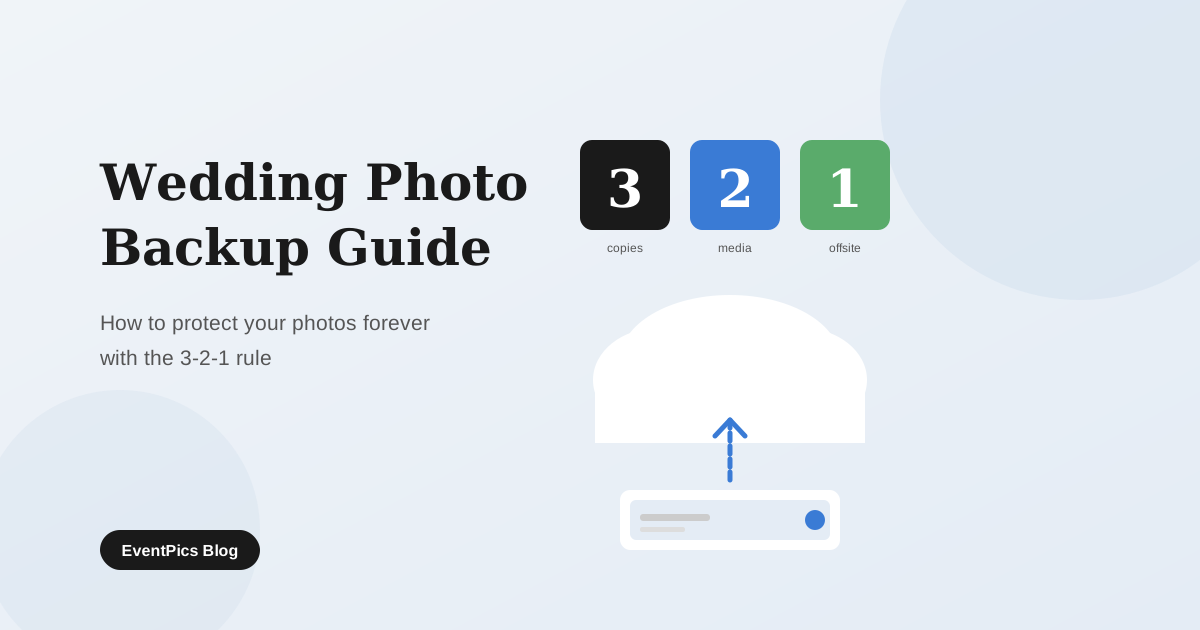
The 3-2-1 rule is the simplest and most effective data backup strategy recommended by IT professionals worldwide. It's easy to remember and directly applicable to wedding photos:
Copies of your data
The original plus two backup copies. This means you can survive the failure of up to two storage locations simultaneously.
Different types of media
For example: external hard drive and cloud storage. If one technology fails, the other is still there.
Copy stored offsite
At least one copy in a different physical location. This protects against fire, theft and flood at your home.
Storage Methods Compared
| Method | Cost | Lifespan | Best for | Risk |
|---|---|---|---|---|
| External HDD | £25–70 / $30–80 | 3–5 years | Fast local access, primary backup | Drops, magnets, age |
| External SSD | £50–130 / $60–150 | 5–10 years | More robust local backup | Data loss if unused long-term |
| Google Photos | Free up to 15 GB, then from ~$3/month | While subscription active | Auto-backup, face/place search | Forgotten subscription, account closure |
| iCloud | From $0.99/month (50 GB) | While subscription active | iPhone users, seamless sync | Apple ecosystem lock-in, forgotten subscription |
| Amazon Photos | Free unlimited for Prime members | While Prime active | Best value for Prime members | Tied to Prime membership |
| Backblaze B2 | ~$0.006/GB/month | Unlimited | Large volumes, lowest cloud cost | Technical setup required |
| Event gallery (EventPics) | 2 GB free, premium from €4.99/month | Unlimited with premium | Collecting and sharing guest photos | Not a standalone backup — use alongside the others |
| Print & photo book | Varies by provider | 50–100 years (quality paper) | Long-term physical archive, display | Only covers a selection, not every photo |
Recommendation: always combine at least two methods — for example external SSD + Google Photos, or iCloud + external HDD.
Step-by-Step: How to Back Up Your Wedding Photos
You don't have to do everything at once — but the sooner, the better. Here is the recommended sequence:
Gather all photos in one place
Collect photos from every source: the photographer (USB stick or download link), your own phone, your partner's phone and any guest photos. Create a folder on your computer named Wedding_YYYY-MM-DD with subfolders per source. This makes long-term management simple and consistent.
Collect guest photos actively
If you used an event gallery like EventPics during the wedding, download all photos now as a ZIP archive in original quality. If you didn't, reach out to guests directly — a short message with an upload link can still bring in a lot of photos in the days after the event. Don't wait too long: participation drops quickly over time.
Copy to an external hard drive or SSD
Copy your entire wedding folder to an external drive. Label it physically (e.g. "Wedding 2026 – Backup") and store it somewhere safe. Not in the same bag as your laptop — the whole point of a backup is physical separation.
Upload to cloud storage — in original quality
Upload all photos to a cloud service. The critical setting: always choose original quality — never "optimised" or "compressed". In Google Photos this setting is called "Original quality". Depending on your internet speed and total file size, the upload may take several hours — start it overnight if needed.
Create a third copy at a different location
For maximum security: leave a drive with your parents, in-laws or a safe deposit box. Alternatively, a second cloud service works just as well — for example Amazon Photos as a supplement to Google Photos. This protects you even against local disasters like fire, flooding or burglary.
Schedule an annual maintenance reminder
Add a yearly calendar reminder: "Check wedding photo backups." Verify that all copies are still accessible, that the hard drive still spins up, and that all cloud subscriptions are active. Every 3–5 years, copy everything to fresh media — storage technology moves fast and old drives degrade.
Long-Term Archiving: What Still Works in 20 Years
Wedding photos shouldn't just be safe now — they should still exist and be accessible in 20, 30 or 50 years. That requires a little extra thought.
Use widely-supported file formats
JPEG has been the standard for decades and will still be readable in 20 years. RAW files (which your photographer may deliver) are manufacturer-specific and could cause compatibility problems long-term. Always keep a JPEG version, not only RAW. HEIC (the default iPhone format) is newer — convert to JPEG as a permanent archival copy.
Never store photos only inside proprietary apps
Anyone managing photos exclusively inside an app — a social network, a photo editing tool, a cloud service without easy export — becomes dependent on that service continuing to exist. Always ensure you can download your photos as normal files and store them locally. Own your data.
Don't underestimate physical prints
A high-quality photographic print on real photo paper lasts 50–100 years under good conditions — no power, no software, no internet required. After the wedding, order a selection of your favourite photos as prints and store them in an acid-free album. This is the only archival method that is completely independent of technology.
Commission a photo book
A professionally printed photo book with high-quality binding and paper needs zero maintenance and can last generations. It is not a replacement for a digital backup, but a beautiful complement — and one of the most meaningful keepsakes from your wedding day.
Checklist: Complete Wedding Photo Backup
- ☐ All photos from every source (photographer, own phone, guest uploads) gathered in one folder
- ☐ Guest photos actively collected (QR code gallery or direct request)
- ☐ Copied to external hard drive or SSD, stored separately from laptop
- ☐ Uploaded to cloud storage in original quality (not compressed)
- ☐ Third copy at a different physical location (family member, second cloud, safe)
- ☐ Cloud subscription renewal added to calendar
- ☐ Annual backup check set as a recurring calendar reminder
- ☐ Photos saved as JPEG (not only RAW or HEIC)
- ☐ Selection ordered as prints or a photo book
FAQ
Collect guest photos before the wedding — free
Create a free EventPics gallery, print the QR code on table cards, and guests upload their photos directly on the night. You download the full collection in original quality as a ZIP — ready to back up alongside the photographer's files.
Create free gallery How to ask guests for photos →