Push photobooth photos directly into the client album via API or upload link. Guests can add their own photos/videos; everything stays in original quality.
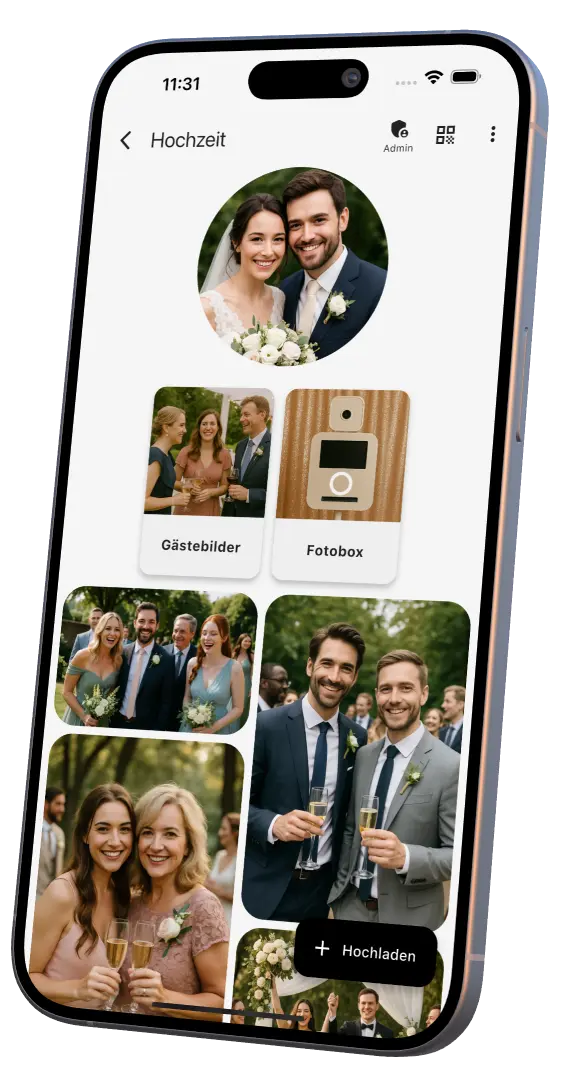
For photobooth software without direct API integration: monitor a local output folder and automatically upload new images or videos to an EventPics event.
Choose a title, QR/link ready.
Photobooth uploads automatically into the EventPics album.
Clients get access and can follow live.
Clients run a slideshow, download everything as ZIP or individually in original quality.
“Our photobooth uses EventPics to securely and quickly deliver all images in one event album. More info: eventpics.net”
“All images from our photobooth are shared automatically via EventPics – guests can view instantly, download, and add their own pictures. Perfect for weddings and events.”
<a href="https://eventpics.net" target="_blank" rel="nofollow">
Photobooth photos shared with EventPics
</a>
<a href="https://eventpics.net" target="_blank" rel="nofollow">
<img src="https://eventpics.net/images/Logo.png"
alt="EventPics – photobooth ready"
style="height:50px;">
</a>
Light badge, downloadable as PNG or SVG.
Show the badge on your photobooth product page or “Our tools” section with a short note about EventPics.
Use the EventPics API for automated uploads. Or use the link/QR and upload manually.
Yes, guests can add their own photos/videos with the same link or QR code.
You can include it as added value or let the end client subscribe – flexible either way.
Original resolution is kept; EU users are stored in the EU and we comply with GDPR.
Yes, in the web app you can display a slideshow on projector/TV.
Use the API, share a QR code and push photobooth images straight into the client album.
Do you run or rent out photobooths? We'll give you a 150 GB storage package for 12 months – completely free, no strings attached. Try the live gallery, the Folder Uploader and all features at full scale.